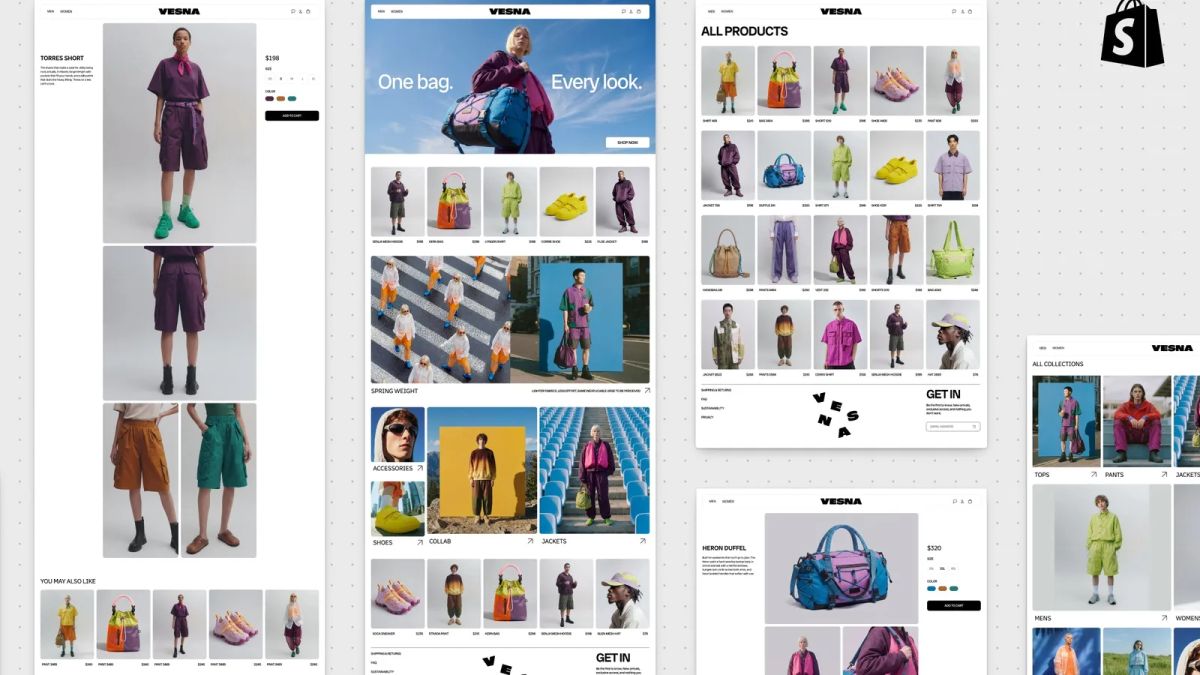
Shopify introduced Canvas on October 1, letting merchants build and edit online stores by chatting with Sidekick, its AI agent. Changes appear in real time across a workspace where merchants can view pages together, pan between them and zoom into details.
Shopify says Canvas renders the store’s actual code. Merchants can test interactions and animations, and preview pages with different products and screen sizes. They can also click elements to edit them directly.
Sidekick works on the theme’s files, validates code and takes screenshots to inspect its changes. Shopify simplified the theme architecture to help the agent coordinate edits across the store. This extends Sidekick’s earlier work on apps and custom theme sections into a whole-store editing tool.
The launch has compatibility limits
Shopify’s changelog says merchants can create a theme in Canvas or duplicate a Shopify or custom theme into it. The original stays in the current editor. Shopify announced a rollout over the days following launch, alongside its existing editor.
At launch, Canvas excludes third-party Theme Store themes, Markets, translations, rollouts, app blocks and app embeds. Themes edited in Canvas do not receive theme updates. TechCrunch reports that Canvas is desktop-only.